


Please incorporate Recaptcha directly into the setup. This is required for any visitor-facing form on the internet. To have to know that I need to download an "add-on" elsewhere makes zero sense. There's nothing to alert me to having to do this.
Your download page says: reCaptcha for JLex Review | Only apply for v5.1.3(+) & Joomla 3.4+ or Joomla 4, though it appears to work properly on Joomla 6.
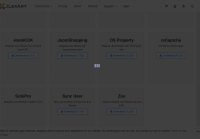
After downloading, the page overlay and spinner never disappear, even though the file downloads as expected. (see attachment)
After installation, I had no idea where to activate the reCAPTCHA. The instructions don't make it clear either. I, eventually, figured it must be a plugin (which it was), but someone new to Joomla wouldn't have a clue, and the dox at https://www.jlexart.com/addons/jlex-review/35 don't help either.
Please make Invisible ReCAPTCHA an option. These "checkbox" versions of reCAPTCHA are very old and are being deprecated.
Thank you.
Your download page says: reCaptcha for JLex Review | Only apply for v5.1.3(+) & Joomla 3.4+ or Joomla 4, though it appears to work properly on Joomla 6.
After downloading, the page overlay and spinner never disappear, even though the file downloads as expected. (see attachment)
After installation, I had no idea where to activate the reCAPTCHA. The instructions don't make it clear either. I, eventually, figured it must be a plugin (which it was), but someone new to Joomla wouldn't have a clue, and the dox at https://www.jlexart.com/addons/jlex-review/35 don't help either.
Please make Invisible ReCAPTCHA an option. These "checkbox" versions of reCAPTCHA are very old and are being deprecated.
Thank you.

 . Because this extension has many plugins, I didn't want to bundle them all. Instead, I created this page so people can install the plugins they need.