Zen mode 17:41:33

It is currently our zen mode where we get some rest so that we can come back to work feeling refreshed the next day and assist you with your issues. Some answers may already be available on our documentation.

Official support hours are from 8:30AM — 5:00PM Monday to Saturday (GMT +7)

JLex Review 6.5.1 is ready!

How to change CSS ? Cause font of the entries is too light

Michael Vorbeck
I work with Joomla3 and the template lightbreeze-yellow - Standard. I would now like to change the CSS of the guestbook in such a way that the font of the entries is a little lighter. The comments entered are simply too dark compared to the background and therefore barely legible.

4 replies

Victor
Hello,
Please add CSS below to your template:
#jgb-timeline .__ls{border-color:#888}.jgb-item .jgb-inner h3,.jgb-item-statis{color:#ddd}

I hope it will work well!

Best regards,
Victor Nguyen.
Hello Victor,
I use Joomla 3 and have the template LightBreeze-Yellow from the website:
https://www.hurricanemedia.net/portfolio/lightbreeze-yellow-hm01j2-5.html
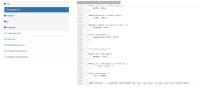
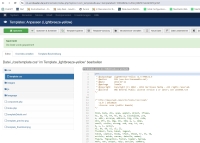
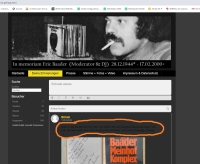
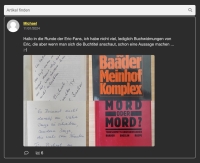
I added the code in the CSS file below as you suggested and saved it, but it resulted in a change to the font, unfortunately it is still too dark see the attachments below with the orange highlighting. Are there any other possibilities?
Thanks and regards Michael
@Victor is wrote at 2024-01-12 00:56:30
Hello, Please add CSS below to your template: [b][i]#jgb-timeline .__ls{border-color:#888}.jgb-item .jgb-inner h3,.jgb-item-statis{color:#ddd}[/i][/b] I hope it will work well! Best regards, Victor Nguyen.
Victor
Hello Michael,
I can see it changed. Please clear the cache of your browser and try again ;).

Best regards,
Victor Nguyen.
@Michael Vorbeck is wrote at 2024-01-12 14:46:37
Hello Victor, I use Joomla 3 and have the template LightBreeze-Yellow from the website: https://www.hurricanemedia.net/portfolio/lightbreeze-yellow-hm01j2-5.html I added the code in the CSS file below as you suggested and saved it, but it resulted in a change to the font, unfortunately it is still too dark see the attachments below with the orange highlighting. Are there any other possibilities? Thanks and regards Michael
thx a lot!!!!! - best guestbook all time 
@Victor is wrote at 2024-01-13 01:41:55
Hello Michael, I can see it changed. Please clear the cache of your browser and try again ;). Best regards, Victor Nguyen.
Reply to

Product Changelogs

JLex Review 6.5.1
^ Bridging feature. See its documentation for details.
^ Option resize image if too large.
# Fixed route issue.
# Fixed known bugs.
JLex Comment 3.7.3
^ The option to accept the Terms & Conditions once
^ The option allows you to edit comments within X minutes.
^ Viewport - Optimize page loading speed.
^ "Roles" are now available to guests.
^ Added options to adjust image quality.
# Fixed the issue of not receiving notifications.
# Fixed the bugs reported on Pagespeed.
JLex GuestBook 2.1.2
# Fixed login with Facebook and retrieved a user's profile picture.
# Improve layout and assets.
# Fixed known bugs.
JLex Comment 3.6.7
^ Option to load script location (Head or Body Tag).
# Improve data structure.
# Fix known bugs.
JLex Review 6.4.7
# Fixed login with Facebook.
# Fixed the issue of being unable to retrieve a user's profile picture on Facebook.
# Fixed known bugs.
JLex Comment 3.6.1
^ Integrate the Finder (Smart search) plugin.
# Fixed login with Facebook.
# Fixed the issue of being unable to retrieve a user's profile picture on Facebook.
# Fixed a bug related to editing comments in the front-end.
# Fixed bug "Jump to comment is broken".
# Improved the data structure.
JLex Block 6.1.7
# Fixed known bugs.
# Updated GEO servers.
✨ All extensions are now fully compatible with Joomla 5.4.x and 6.
Sign in to your account

Use your social accounts to sign in